We're currently experiencing an outage of some services. Find out the latest on our status page
WooCommerce Integration Upgrade
We’ve rolled out an update to make connecting your WooCommerce store to Bookvault smoother and more reliable. Our improved Store Integration Health Checker now helps you quickly identify and fix connection issues without the technical know-how. If your store ever fails to connect, the Health Checker will guide you through restoring your setup step-by-step, ensuring your orders and inventory stay in sync.
What it does
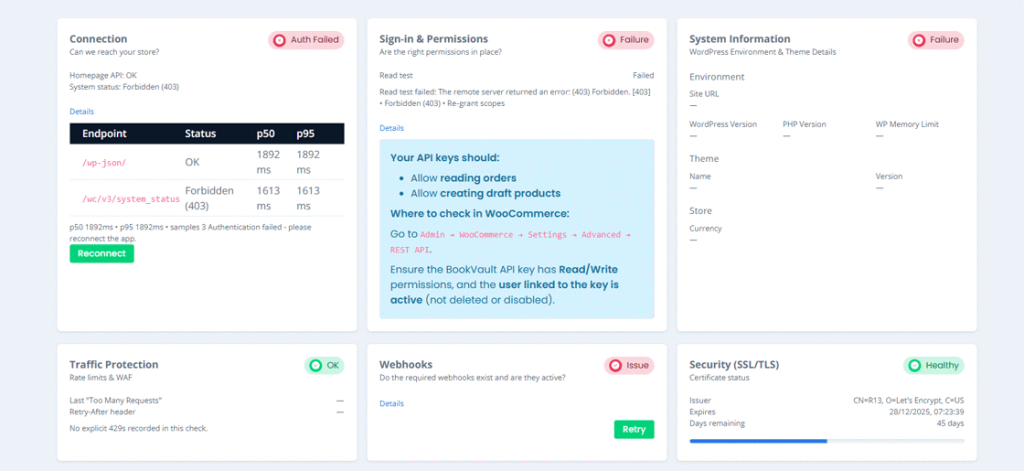
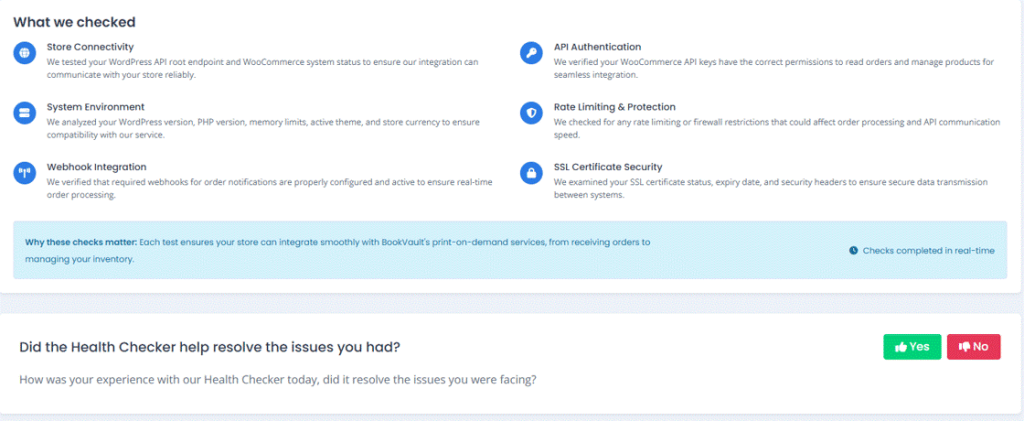
The Health Checker now performs a complete scan to ensure your WooCommerce store communicates properly with Bookvault. It reviews:
• Store Connectivity – Confirms your store is online and accessible. • API Authentication – Checks your API keys and permissions. • Webhooks – Ensures order updates are linked correctly. • System Setup – Looks for version or setup issues that may cause interruptions.
How it works
Step 1 – Access the Health Checker
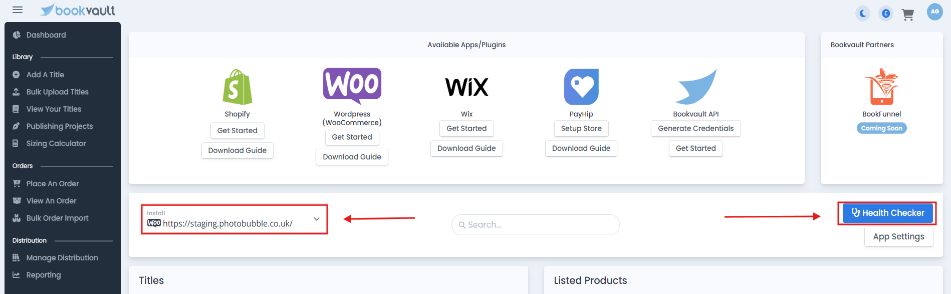
Go to the Apps page in your Bookvault Portal, select your WooCommerce store, and click Health Checker.
Step 2 – Run the Check
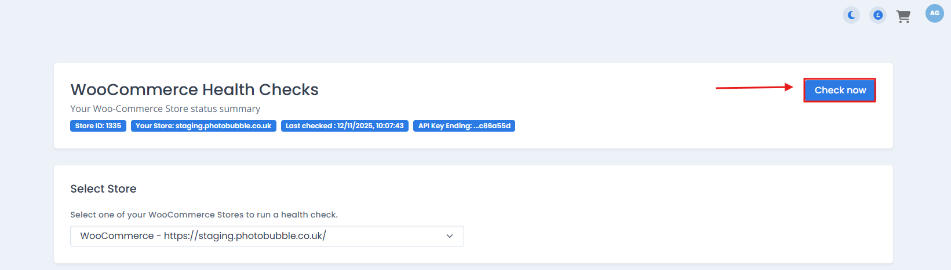
Click Check Now to scan your store.
Step 3 – Review the Results
See at a glance which checks passed or failed.
Step 4 – Reconnect if Needed
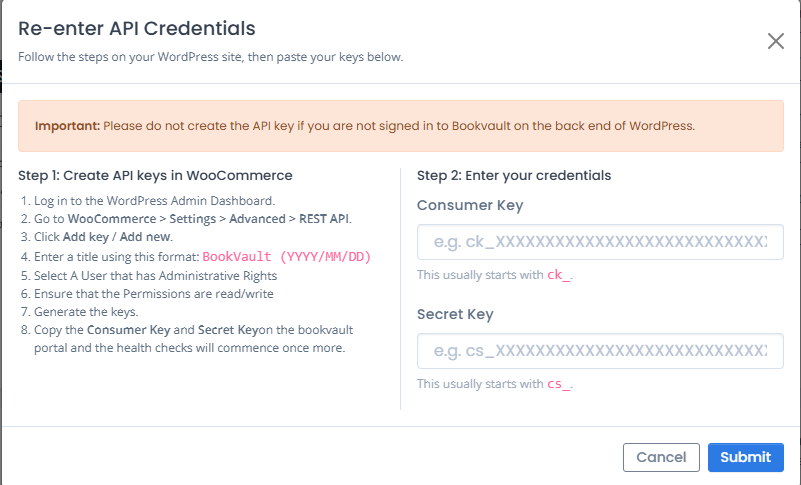
If something’s wrong, a Reconnect button will appear to help you create new API credentials.
Step 5 – Retry Webhooks
Once reconnected, hit Retry Webhooks to repair any missing connections.